
티스토리 뷰
스위프트에서 @Generable 매크로를 구조체 structure나 열거형 enum에 적용하면,
Foundation Model이 프롬프트를 해석해 해당 타입의 인스턴스를 생성할 수 있어요
또한 @Guide 매크로를 통해 프로터피에 대한 자연어 설명을 추가할 수 있는데요,
이를 통해서 모델이 어떤 값을 생성해야 하는지 힌트를 얻고, 생성 결과를 컨트롤할 수 있어요
이전에 만들었던, Grammar Correction에 correctSentence()코드를 조금 수정해 볼게요
func correctSentence() async {
    isLoading = true
    correctionResult = ""
    errorMessage = nil

    UIApplication.shared.sendAction(#selector(UIResponder.resignFirstResponder), to: nil, from: nil, for: nil)

    do {
        let instructions = "You are a helpful and knowledgeable English tutor. When a student provides a sentence, check it for grammar mistakes. If there are any, explain what is wrong and provide the corrected sentence. If the sentence is already correct, confirm that it is correct and explain why."
        let session = LanguageModelSession(instructions: instructions)

        let prompt = """
        Please check the following sentence for any grammar mistakes. If there are mistakes, explain them and provide the corrected version. If the sentence is already correct, explain why it is correct.
        \"\(userInput.trimmingCharacters(in: .whitespacesAndNewlines))\"
        """

        let response = try await session.respond(to: prompt)
        correctionResult = response.content
    } catch {
        errorMessage = "Failed to get response: \(error.localizedDescription)"
    }

    isLoading = false
}
기존에는 crrectionResult에 response.content를 바로 넣어줬다면,
CorrectedSentence구조체를 생성한 후 해당 타입으로 반환받을 수 있게 바꿔볼게요
CorrectedSentence구조체에 @Generable매크로를 추가해 줍니다
(+ @Generable을 사용하려면 안에 있는 프로퍼티의 타입 또한 @Generable 이여야 해요)
@Guide매크로를 통해 모델이 어떤 값을 생성해야 할지 description을 작성해 줍니다
@Generable
struct CorrectedSentence {
    @Guide(description: "The grammatically correct version of the sentence.")
    var corrected: String
    @Guide(description: "Indicates whether the original sentence was grammatically correct.")
    var isCorrect: Bool
}
그리고 correctSentence함수안에 session.respond도 CorrectedSentence를 리턴할 수 있게 변경해 줍니다
func correctSentence() async {
     isLoading = true
     correctionResult = ""
     errorMessage = nil

     UIApplication.shared.sendAction(#selector(UIResponder.resignFirstResponder), to: nil, from: nil, for: nil)

     do {
         let instructions = "You are a helpful and knowledgeable English tutor. When a student provides a sentence, check it for grammar mistakes. If there are any, explain what is wrong and provide the corrected sentence. If the sentence is already correct, confirm that it is correct and explain why."
         let session = LanguageModelSession(instructions: instructions)

         let prompt = """
         Please check the following sentence for any grammar mistakes. If there are mistakes, explain them and provide the corrected version. If the sentence is already correct, explain why it is correct.
         \"\(userInput.trimmingCharacters(in: .whitespacesAndNewlines))\"
         """

         let response = try await session.respond(
             to: prompt,
             generating: CorrectedSentence.self
         )
         correctionResult = response.content.corrected
         print("isCorrect \(response.content.isCorrect)")
     } catch {
         errorMessage = "Failed to get response: \(error.localizedDescription)"
     }

     isLoading = false
 }
테스트해보니,
틀린 문장을 입력하면 corrected에 수정된 문장과 isCorrect가 false로 리턴되고
올바른 문장을 입력하면 corrected에 해당 문장과 isCorrect가 true가 리턴되네요
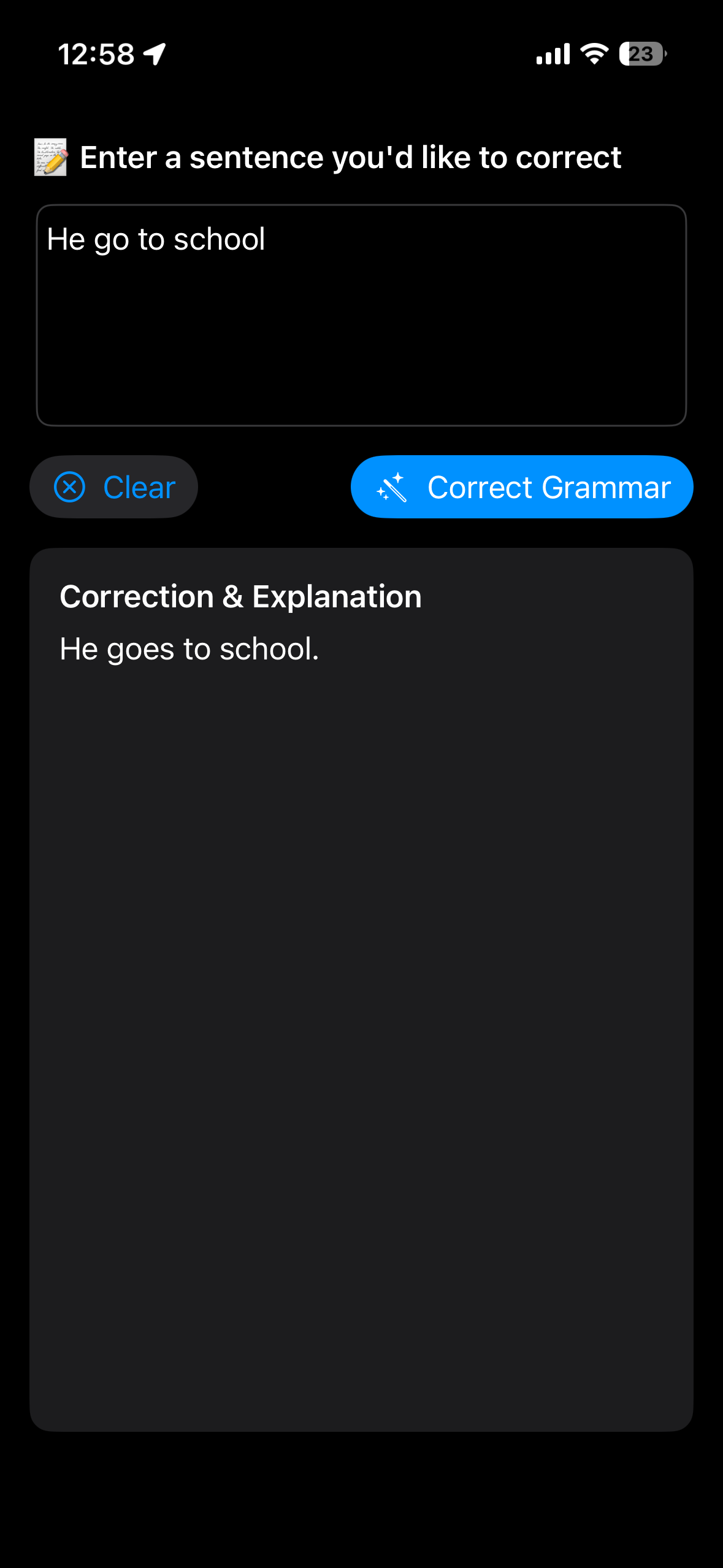


@Generable을 사용하면 모델의 출력을 직접 파싱하지 않아도 되기 때문에 훨씬 편리하네요!
결론 = 편하다, 좋다
resources:
https://developer.apple.com/videos/play/wwdc2025/259/
https://developer.apple.com/documentation/foundationmodels/generable https://developer.apple.com/documentation/foundationmodels/generating-swift-data-structures-with-guided-generation
'Tech > On-Device' 카테고리의 다른 글
| Foundation Models로 Recipe Generator 만들기 (0) | 2025.08.08 |
|---|---|
| Apple Foundation Models - Tool calling (0) | 2025.08.07 |
| 애플 Foundation Models로 Grammar Correction 만들기 (0) | 2025.07.27 |
| 애플 Foundation Models로 온디바이스 챗봇 만들기 (0) | 2025.07.23 |
| Foundation Models - Design for on-device LLM (2) (0) | 2025.07.21 |
- Total
- Today
- Yesterday
- foundationmodels
- ios
- ReactiveX
- Deep learning
- RX
- objc
- wwdc
- iOS SwiftUI
- Animation
- llm
- 책 추천
- ARC
- rxswift
- objective-c
- 책 후기
- 머신러닝
- swiftUI
- 알고리즘
- string
- SWIFT
- 스위프트UI
- swift5
- Algorithm
- 스위프트
- 책
- 애니메이션
- 온디바이스
- leetcode
- Xcode
- 딥러닝
| 일 | 월 | 화 | 수 | 목 | 금 | 토 |
|---|---|---|---|---|---|---|
| 1 | 2 | 3 | ||||
| 4 | 5 | 6 | 7 | 8 | 9 | 10 |
| 11 | 12 | 13 | 14 | 15 | 16 | 17 |
| 18 | 19 | 20 | 21 | 22 | 23 | 24 |
| 25 | 26 | 27 | 28 | 29 | 30 | 31 |